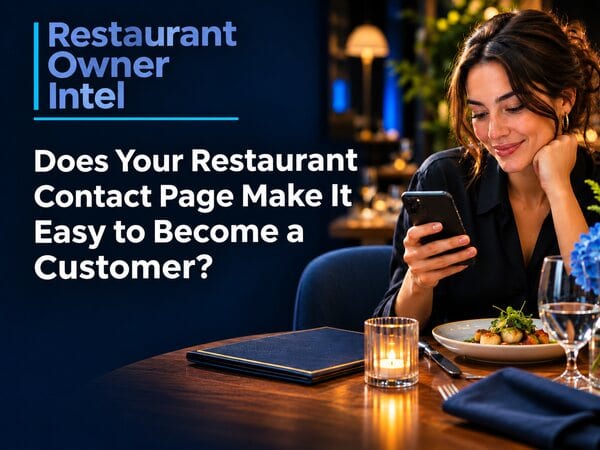
Does Your Restaurant Contact Page Make It Easy to Become a Customer?
Restaurant contact page improvements to help diners book, call, find you or ask a question, with practical advice on forms, mobile use and privacy.
A couple are looking at your menu on a phone. They like what they see, but one of them wants to check whether the restaurant has room for a pram. Another visitor wants to ask about a birthday booking. Someone else is ready to reserve a table. They tap Contact and find an address, a map and a form asking for a name, email address and message. There is no booking button, no phone link and no indication of when anyone replies. The page contains contact details, but leaves each visitor to work out the next step. For an independent restaurant, the page misses a chance to turn interest into a booking, an event enquiry or a useful conversation. A useful restaurant contact page needs no elaborate design. The page should make the right next step clear, give accurate information and help people reach the team in a route suited to their reason for visiting. The contact page is part of the customer decisionSome visitors arrive with a simple question. Others are checking a final detail before choosing where to eat. A parent might want to confirm high chairs. A guest with limited mobility might need accurate access information. A group organiser might be comparing options for a celebration. These visitors do not all need the same contact route. A person ready to book should be able to reach the reservation system directly. A private-event organiser needs a route to send details and receive a considered reply. A diner who is already nearby might simply need directions or a tap-to-call phone number. The page earns its place by removing uncertainty without a long explanation. Answering common questions also saves staff time and avoids calls during service. Give each visitor a clear routeStart with the actions most important to your restaurant. Put the most common or valuable routes where visitors will see them quickly, then make less frequent requests easy to find below.
Do not make the contact form the only route if your booking system already accepts reservations. A message reading “We will get back to you” is not a confirmed table. Make the difference clear so guests know whether they still need to wait for confirmation. Google Business Profiles support links for actions such as reservations, food orders and menus. Check your own profile and website together, so a customer sees the right option wherever they find you. Google requires action links to lead to a page where customers complete the stated action. Read Google’s guidance on local business links. Make the practical details easy to findA contact page should help someone reach the restaurant, not send them searching across the site. Include the details customers need before setting off or getting in touch:
Confirm the address and phone number match your Google Business Profile and other listings. If your restaurant has more than one site, name the location clearly and link to its own booking page. A general group contact page leaves guests unsure which restaurant will receive their message. For more on the information visitors expect to find quickly, see 10 Things Every Restaurant Website Homepage Needs. Keep the form short and specificIf someone needs to send a message, ask only for information the team needs to respond. A basic form might need a name, a reply method and the question. For an event enquiry, a preferred date and approximate party size help staff give a more useful answer. Avoid asking every visitor for a telephone number, address, occasion, budget and marketing preferences when the restaurant only needs to answer a simple question. Extra fields take time and make the form feel like more work. The W3C’s forms guidance recommends short forms and labels clearly identifying each field. See the W3C forms tutorial. Use visible labels such as “Your name” and “Email address”, rather than relying on faint placeholder text, which disappears when someone starts typing. Mark required fields clearly. Make error messages specific, and keep any security check from becoming a barrier for people using a phone or assistive technology. The button should say what happens next. “Send enquiry” is clearer than “Submit”. If a booking request is not confirmed immediately, say so beside the button and repeat the next step on the confirmation screen. Tell people what to expect after they get in touchA form creates another job for the restaurant. Decide who checks the inbox, how often messages are reviewed and what happens when the restaurant is closed. Then explain the response time in plain language, based on realistic staff capacity. For example, a message might say, “We check enquiries during opening hours. For a table tonight, please use our booking link or call us.” Do not promise a reply within an hour if nobody is assigned to check the inbox during service. Send an on-screen confirmation after the form is received. If your system also sends an email, check the email reaches the inbox and identifies the restaurant. A broken form quietly wastes marketing effort because the customer has done their part but the enquiry never reaches the team. Treat access and privacy as part of the experienceVisitors use contact pages in different ways. Some rely on a keyboard, screen reader, voice input or larger text. Clear labels, readable text, sensible contrast and an understandable error message help more people complete the form. The W3C explains how labels need to identify and connect with their form controls. Only collect the personal information needed to handle the enquiry. Explain how you will use the details, keep the form secure and make your privacy information easy to reach. The Information Commissioner’s Office gives small organisations practical advice on collecting only necessary details and making privacy information accessible. Read the ICO’s data protection advice. Do not add a preselected marketing sign-up tick box. If someone asks about a table or event, their details should be used to respond to the enquiry, not quietly turned into a mailing list. Keep marketing consent separate and clear. Test the page as a customer wouldOpen your site on a phone and start from the homepage. Find the contact page, then try each important route. Tap the phone number. Follow the directions. Open the booking link. Send a test enquiry and check where the message arrives. Notice how many taps the route requires and whether the page makes the next step obvious. If a customer ready to book has to scroll past a long story, a large map and several social links before finding the reservation button, move the booking route higher. More on reducing distractions in our guide to reducing distractions on the route to a restaurant booking. Keep a simple monthly count of enquiries, phone taps and booking clicks if your website tools report them. Compare those actions with enquiries reaching the team and reservations completed. The numbers will not explain every customer decision, but they help you spot a broken link or routes attracting clicks without producing useful enquiries. A quick restaurant contact page auditSet aside 15 minutes and check these points:
Fix the issue blocking a customer from taking action first. A working booking button or phone link is usually more useful than another design feature. Products / Tools / ResourcesStart with the systems your restaurant already uses. Add another tool only when the service solves a real customer problem. Your existing booking systemUse its direct reservation page on the contact page and test a booking from a phone. Confirm the system shows the correct location, dates and next steps before guests rely on the link. Google Business ProfileCheck your phone number, hours, menu and booking links. Google’s profile links let eligible businesses direct customers to actions such as reservations and food orders. Google Business Profile links guidance. W3C Forms TutorialA free, practical reference for clearer field labels, instructions and form feedback. Consult this resource while you or your web designer review the contact form. Open the W3C tutorial. ICO advice for small organisationsUse the ICO’s guidance to review what your form collects and how you explain the use of those details. Read the ICO guidance. |
Restaurant Owner Resource |
Free AI Restaurant Growth Plan |
Curious what growth opportunities your restaurant might be missing? Our free AI-powered Growth Plan analyses your restaurant's online presence, marketing and growth goals to identify opportunities you may not have considered.
|
Nov 2, 2026
Should You Put Currency Symbols on Your Restaurant Menu?
Currency symbols on restaurant menus: what the research supports, when to keep £ signs and how to test a clearer price format.
Oct 31, 2026
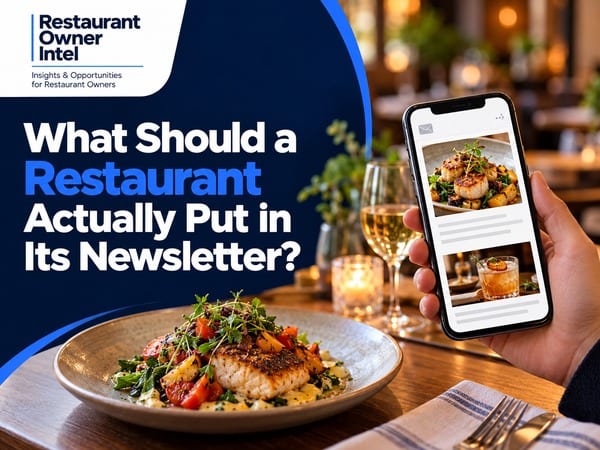
What Should a Restaurant Actually Put in Its Newsletter?
A practical restaurant newsletter content plan, with useful topics, a repeatable layout and a complete example to adapt
Oct 30, 2026
7 Restaurant Signage Mistakes That Could Be Costing You Customers
Is your restaurant signage costing you customers? Avoid 7 common outdoor sign mistakes and learn how to attract more walk-in diners.

Oct 29, 2026
More Customers or Higher Spend? How to Grow Your Restaurant's Revenue
Should you concentrate on filling more tables or getting customers to spend a little more? The answer could change how you approach restaurant growth - and how much of your additional revenue actually becomes profit.
0 Comments
Join the conversation
Be the first to comment
Share your thoughts above.