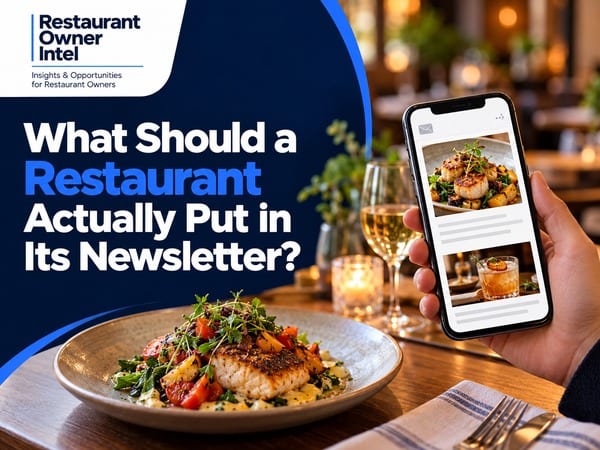
What Should a Restaurant Actually Put in Its Newsletter?
Plan your restaurant newsletter content with practical topic ideas, a four-issue schedule and a worked example designed to encourage more repeat visits.
Your restaurant newsletter content starts with a decision: what would give a previous guest a worthwhile reason to hear from you today? A dish returning to the menu, a simpler way to organise a family meal or a useful update about an upcoming event all offer a starting point. The difficulty is choosing. You have Sunday lunch, gift vouchers, a new starter and private dining to mention. Include everything at equal length and the email becomes a list of announcements. Choose a lead story and the reader has something specific to consider. You do not need a major launch for every send. You need relevant information, enough detail to make the visit feel appealing and an obvious route to booking, ordering or finding out more. Choose restaurant newsletter content around the next visitBefore opening your email editor, choose the occasion you want to encourage. This might be a relaxed midweek dinner, a birthday meal, a lunch break or an evening built around a local event. Then identify the information a guest needs to make the decision. For a weekday lunch, speed, price and serving times matter. For a celebration, readers need group sizes, menu options and a clear enquiry route. Your restaurant's internal news earns space when the news helps a guest choose. For example, a new supplier is an internal update. Explaining how their mushrooms feature in a seasonal risotto gives the customer a dish to consider. Add the serving days and a current menu link, and the story becomes useful. Use a repeatable layout with room for one lead storyStart with this structure as an editorial working format. Adjust the length to the amount of useful information available.
A starting range of roughly 250 to 400 words is an editing target, rather than a proven ideal. A tasting evening needs more explanation than a reminder about Sunday lunch. Remove repetition before removing information a guest needs. Secondary links are useful when they support the decision. A menu link beside a booking button makes sense. A row of equally prominent buttons for vouchers, social accounts, delivery, events and private hire leaves the reader with more decisions. Six topics worth keeping in your content plan1. A specific dish and the reason to tryChoose one dish rather than reproducing the entire menu. Describe the ingredients, preparation or accompaniment in plain language. Use your own photograph and confirm availability with the kitchen before sending. For a fictional example, “Roast squash, sage butter and toasted hazelnuts are on our lunch menu from Thursday” gives readers more to consider than “Our new menu has arrived”. Include the price when relevant to the decision and link to the current menu. 2. An occasion your guests are already planningConnect your restaurant to a real customer need: a meal before the theatre, a family lunch after a walk or a gathering for colleagues. Explain serving times, booking arrangements and any relevant restrictions. Keep the connection accurate. If a local show finishes after your kitchen closes, promote a pre-show meal. Avoid suggesting a convenient visit your service hours do not support. 3. Useful answers to booking questionsTurn a recurring customer question into a short item. Explain how to enquire about a group meal, where to find parking information or which days your lunch menu runs. Link directly to the relevant details. This material is particularly useful when guests have shown interest but still need practical reassurance. Ask your front-of-house team which questions came up during the last few services. 4. A brief story from the kitchen or dining roomIntroduce the person behind a dish, explain a menu change or share a preparation detail. Keep the story connected to the dining experience. A chef explaining why a sauce takes two days to prepare has more relevance than a staff biography with no link to the food. Give the reader one concrete detail. Long accounts of your dedication and passion take space without helping anyone decide what to order. 5. An event with enough detail to assessFor a tasting night or special menu, state the date, start time, price, inclusions and booking method. Explain deposit or cancellation terms where relevant, and provide a route for dietary questions. Use genuine deadlines or capacity limits. Check availability immediately before sending. A clear invitation does not need invented scarcity. 6. A small extra for subscribersOffer early booking access, a short recipe, serving advice or first notice of a returning favourite. Choose something your team has the capacity to deliver consistently. A price promotion belongs here when the commercial case supports one. Check the contribution after food costs, extra labour and the incentive. Avoid filling an already busy service with discounted bookings when full-price demand is available. Plan four issues before writing the firstUse this sequence for your next four sends. These are hypothetical planning examples, with details to replace using your own menu and service arrangements.
Treat this as a rotation of customer reasons to visit. Change the order when your business needs change. A menu launch or approaching booking deadline deserves priority over a rigid calendar. For guidance on when to send a quieter-service invitation, read when restaurants should email customers about midweek offers. Keep timing decisions separate from choosing what this particular email needs to say. A worked restaurant newsletter exampleThe following is a fictional example for a neighbourhood restaurant. The menu, price, serving times and booking arrangements are illustrative, rather than a live offer. Subject: Your Thursday supper, sorted Hello from the team, Our roast squash risotto joins the menu this Thursday. We finish each bowl with sage butter, toasted hazelnuts and aged cheese, and serve the dish throughout our Thursday evening service. If you are planning an easy meal after work, our kitchen opens at 5.30pm, with last food orders at 8.30pm. The risotto is £18, and the full evening menu is available through our website. Coming with friends? Our online booking page accepts tables of up to six. For a larger group or a dietary question, reply to this email and our team will help you plan your visit. Book a Thursday table Thanks, The email gives the food a clear introduction, sets out practical details and names the next action. In a real send, link the booking text directly to the booking page. Keep your normal sender details and unsubscribe footer. Edit for the guest reading on a phonePreview the email on your own phone before sending. The subject line should name the main reason to open. The pre-header should add useful detail rather than repeat the subject. Use short paragraphs, a legible type size and a clear button label. Keep essential information in readable text rather than embedding everything inside a poster image. Check the meal, price, dates and opening hours against the destination page. Send a test email and follow every link. A compelling invitation loses value when the button leads to an old menu or a booking page showing a different offer. Record what the content producedFor each issue, note the lead topic, audience, main link and intended outcome. Review clicks alongside completed bookings, orders or genuine enquiries where your systems support attribution. Ask staff to record relevant customer mentions too, recognising these will be incomplete. Open rates alone are an unreliable measure of readership. Mailchimp explains how Apple Mail Privacy Protection limits open measurement. Automated security checks also affect click reporting, so use your platform's filtering where available and compare engagement with actual customer actions. Before your next send, choose one real reason to visit. Write the lead story, add one useful supporting detail and test the route to the main action. Save three unused ideas for later issues. Products / Tools / Resources
|
Restaurant Owner Resource |
Free AI Restaurant Growth Plan |
Curious what growth opportunities your restaurant might be missing? Our free AI-powered Growth Plan analyses your restaurant's online presence, marketing and growth goals to identify opportunities you may not have considered.
|
Nov 2, 2026
Should You Put Currency Symbols on Your Restaurant Menu?
Currency symbols on restaurant menus: what the research supports, when to keep £ signs and how to test a clearer price format.
Oct 30, 2026
7 Restaurant Signage Mistakes That Could Be Costing You Customers
Is your restaurant signage costing you customers? Avoid 7 common outdoor sign mistakes and learn how to attract more walk-in diners.

Oct 29, 2026
More Customers or Higher Spend? How to Grow Your Restaurant's Revenue
Should you concentrate on filling more tables or getting customers to spend a little more? The answer could change how you approach restaurant growth - and how much of your additional revenue actually becomes profit.
Oct 28, 2026
Google Business Profile for Restaurants: 8 Mistakes That Could Be Costing You Customers
Your restaurant could be losing potential customers before they ever visit your website. These common Google Business Profile mistakes can damage first impressions, create unnecessary barriers to booking and send diners towards your competitors.
0 Comments
Join the conversation
Be the first to comment
Share your thoughts above.