
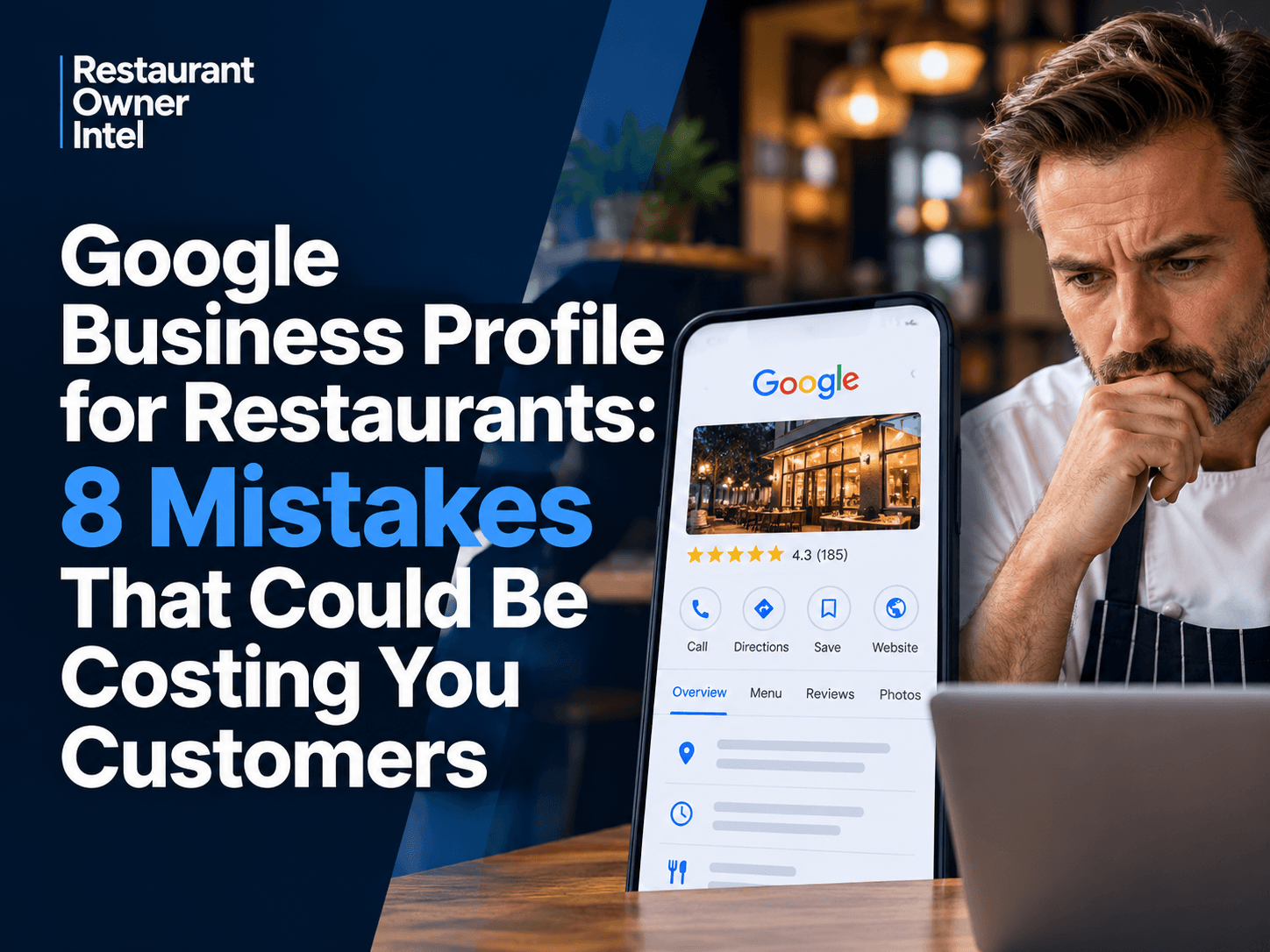
It's 7pm on a Friday. Someone nearby is looking for somewhere to eat.
They open Google, search for a restaurant and start comparing the options.
Your restaurant appears in the results.
So does the place around the corner.
Both have good reviews. Both serve the kind of food they're looking for. Both are within walking distance.
But your competitor has attractive photographs, up-to-date opening hours, a visible menu and a straightforward booking option.
Your profile has photographs from three years ago, a handful of unanswered reviews and no obvious way to reserve a table.
Which restaurant gets the booking?
You may never know that customer was considering yours.
That's what makes a poorly managed Google Business Profile such an easy problem to overlook. There's no complaint, no abandoned basket and no obvious sign that something has gone wrong.
The customer simply chooses somewhere else.
For independent restaurants, Google Business Profile is far more than an online directory listing. It's often the first place potential customers encounter your business, particularly when they're searching Google Maps or looking for somewhere to eat nearby.
And those customers aren't necessarily browsing casually.
Some are deciding where to have lunch in the next hour. Others are planning a family meal, checking prices for a date night or looking for a restaurant that can accommodate a particular dietary requirement.
They're already interested in eating out.
Your job is to give them enough confidence to choose you.
Here are eight Google Business Profile mistakes that could be making that decision harder than it needs to be.
1. Your Opening Hours Are Turning Customers Away
Picture a couple looking for dinner on a Tuesday evening.
It's 8.15pm. They're hungry, they're nearby and they're ready to spend money.
Your restaurant is serving until 10pm.
Unfortunately, Google says you close at 8.30pm.
They keep scrolling.
You haven't delivered a bad meal or provided poor service. Your restaurant hasn't even had the opportunity.
An incorrect closing time has already made the decision for them.
Opening hours might seem like a minor administrative detail, but they're one of the first things customers check when deciding where to eat.
And the problem works both ways.
If Google says you're open when you're actually closed, customers can arrive at a locked door. That's frustrating enough to damage their opinion of your restaurant before they've tried the food.
What to check
Open your Google Business Profile and review your regular hours.
Then look beyond the normal weekly schedule.
Are your bank holiday hours correct? Have you updated seasonal changes? Does your profile reflect temporary closures?
If your restaurant stays open until 11pm but the kitchen stops serving at 9.30pm, make sure that distinction is clear wherever customers check your service information.
The business consequence: Incorrect opening hours can cost you customers who were ready to visit, while inaccurate information can damage trust with those who do arrive.
2. Your Photographs Are Selling a Restaurant That No Longer Exists
Think about the last time you booked somewhere unfamiliar.
Chances are, you looked at the photographs.
You wanted to see the food, the dining room and perhaps the atmosphere.
Was it somewhere you'd enjoy spending an evening?
Your customers are doing exactly the same thing.
Now imagine they've found your restaurant on Google.
The first photograph shows an empty dining room under harsh lighting. The next is a slightly blurred picture of a dish you removed from the menu two years ago.
Further down, there's an old photograph of the restaurant before you refurbished it.
None of these images represents the experience you're offering today.
Yet they're helping potential customers decide whether to visit.
That's a problem.
Photographs communicate things that menu descriptions and star ratings cannot.
A warmly lit dining room suggests atmosphere. A beautifully presented dish creates appetite. A photograph of a busy restaurant can help customers imagine themselves enjoying the experience.
Poor images can undermine all three.
What to do differently
Start by looking at your Google Business Profile as though you've never visited your restaurant.
Would the photographs make you want to book?
If not, replace or supplement them with better images.
Focus on the things customers care about:
- The exterior: Help people recognise your restaurant when they arrive.
- The dining room: Show the atmosphere, seating and overall experience.
- The food: Feature dishes that look appealing and are actually available.
- The experience: Show what makes your restaurant distinctive, whether that's an open kitchen, outdoor terrace or intimate dining area.
You don't necessarily need an expensive photography session.
Good lighting, a clean background and a modern smartphone can make a considerable difference.
And remember, customers can upload their own photographs to Google. You cannot control every image they share, but you can make sure your own collection accurately reflects the restaurant today.
The business consequence: Outdated or unappealing photographs can make a good restaurant look less attractive than the competition.
3. You're Letting Unanswered Reviews Tell the Story
A customer leaves a five-star review.
They loved the food, enjoyed the service and say they'll definitely return.
You don't respond.
A week later, another customer leaves a two-star review complaining about slow service.
You don't respond to that either.
To you, these might be two comments among dozens of other things demanding your attention.
To someone researching your restaurant, they're part of the first impression.
And your silence is visible.
Google reviews are particularly important because they allow potential customers to hear from people who've already eaten at your restaurant.
A glowing review can provide reassurance.
A critical review can raise doubts.
But your response can influence how that feedback is interpreted.
A calm, thoughtful reply to a complaint demonstrates that you take customer experience seriously.
An argumentative response can achieve the opposite.
Make review management part of your routine
You don't need to write lengthy replies to every comment.
A genuine thank-you is often enough for positive feedback.
Where possible, acknowledge something specific.
If someone praises your Sunday roast, thank them for mentioning it.
If a customer compliments a member of your team, recognise that.
Negative reviews deserve more care.
Acknowledge the experience, avoid becoming defensive and explain any appropriate steps you're taking.
If the situation requires a longer conversation, invite the customer to contact you privately.
And don't wait for reviews to appear by chance.
Encourage satisfied customers to share honest feedback. A polite request after a positive dining experience or a simple reminder in a follow-up email can help.
Just avoid offering incentives for reviews or trying to influence the ratings customers leave.
The business consequence: Your reviews help shape customer confidence. Ignoring them means leaving an important part of your restaurant's reputation unmanaged.
4. Google Doesn't Clearly Understand What Kind of Restaurant You Run
You operate a small Italian restaurant.
Your menu features handmade pasta, wood-fired pizza and traditional regional dishes.
But your primary Google Business Profile category is simply "Restaurant".
It's not necessarily wrong.
It may, however, be less descriptive than a category that more accurately reflects your business.
Google uses business categories, alongside other information, to understand what businesses offer and which searches they may be relevant to.
That matters when someone searches for something specific.
A customer looking for an Italian restaurant nearby isn't necessarily interested in every restaurant within walking distance.
They want somewhere that serves Italian food.
Check your primary category
Your primary category should describe the main purpose of your business as accurately as possible.
For example, a specialist pizza restaurant may be better represented by "Pizza restaurant" than a broad restaurant category.
You can also add relevant secondary categories where they genuinely describe what you offer.
But resist the temptation to select every category that seems remotely connected to your menu.
A restaurant serving a few vegetarian dishes doesn't automatically need to describe itself as a vegetarian restaurant.
Accuracy matters more than trying to appear in every possible search.
The business consequence: An inaccurate category can make it harder for Google to understand your business and connect it with relevant local searches.
5. Customers Can't Find Your Menu When They're Ready to Choose
Your photographs have done their job.
The restaurant looks inviting. The reviews are encouraging. The location works.
Now the customer wants to see the menu.
They tap the menu link.
Nothing happens.
Or perhaps the link opens a PDF that's almost impossible to read on a phone.
Maybe the prices are out of date.
Perhaps the menu shows dishes you stopped serving months ago.
It's a small moment of frustration, but it arrives at exactly the wrong time.
The customer is trying to decide whether your restaurant is right for them.
Instead of helping, you're making that decision more difficult.
Make your menu easy to find and use
Check how your menu appears through Google Business Profile.
Then open it on your own phone.
Don't just check whether the link works. Look at the experience.
Can you read the dishes without constantly zooming in?
Are prices visible?
Can customers quickly find vegetarian options or identify whether you serve something suitable for their needs?
If you offer separate lunch, dinner and takeaway menus, are those distinctions clear?
And if you've changed your prices recently, does the online information reflect that?
Google may also display menu information from other sources, including customer contributions. It's worth checking what customers can actually see rather than assuming your latest uploaded menu is the only version available.
The business consequence: A difficult-to-access menu creates uncertainty at the moment a potential customer is deciding whether to spend money with you.
6. You're Making Customers Work Too Hard to Book a Table
There's a point in the customer journey when interest turns into intent.
They've seen enough.
They like your restaurant.
They want a table.
This is the moment your Google Business Profile should make things easy.
Instead, some restaurants create an obstacle course.
The customer clicks through to the website, searches for the reservations page, waits for it to load and eventually reaches a booking form that doesn't work properly on their phone.
Others provide no booking option at all.
The customer has to call.
Perhaps they're on a train, sitting in a meeting or simply don't want to make a phone call.
So they try another restaurant.
And the next one lets them book in seconds.
Test your booking process like a customer
Take out your phone and find your restaurant on Google.
Now try to book a table.
How many steps does it take?
Does the website load quickly?
Is the booking button obvious?
Can you complete the reservation without unnecessary effort?
If your booking provider supports reservations through Google, check whether that option is available and correctly configured.
Otherwise, make sure your website link takes customers somewhere useful and that the reservation process works smoothly on mobile.
Your telephone number should also be accurate and easy to access.
The business consequence: A restaurant can attract plenty of interest through Google but still lose potential bookings if the next step is unnecessarily complicated.
7. Your Profile Leaves Too Many Questions Unanswered
A family is looking for somewhere to eat on Sunday.
They've found your restaurant, but they can't tell whether you have high chairs.
Another customer wants to know if there's outdoor seating.
Someone else needs wheelchair access.
A fourth is checking whether takeaway is available.
These aren't minor details to the people asking.
They may determine whether your restaurant is even an option.
And when customers can't find an answer, they don't always telephone to ask.
Sometimes they simply choose somewhere that provides the information.
Complete the details that influence decisions
Google Business Profile allows restaurants to provide additional information about their services and facilities.
The exact options vary depending on the business and the features Google currently supports.
Review the information available to you, paying particular attention to:
- Dining and takeaway options.
- Accessibility.
- Outdoor seating and other amenities.
- Payment methods.
- Contact information.
- Website and reservation links.
Only include information that's accurate.
If your restaurant isn't wheelchair accessible, don't select an attribute suggesting that it is.
If you don't offer delivery, don't imply that you do.
The purpose isn't to make your restaurant appear to offer everything.
It's to help the right customers understand what they can expect.
The business consequence: Missing information creates doubt. Accurate information helps customers decide whether your restaurant meets their needs.
8. You're Not Checking Whether Google Is Actually Bringing You Customers
You've updated the photographs.
You've corrected the opening hours.
You've added the menu and made reservations easier.
Everything looks better.
But is anything changing?
This is where Google Business Profile becomes more than a digital shop window.
It can also provide useful information about how customers interact with your restaurant online.
Google Business Profile performance reporting can show information such as searches, website clicks, calls and direction requests, depending on the features available to your business.
These figures won't tell you everything.
Someone requesting directions might never arrive.
A website visitor might browse the menu and leave.
A phone call might be a supplier rather than a customer.
But the numbers can still reveal useful patterns.
Look for changes that matter
Suppose you update your photographs and improve your booking link.
Over the following weeks, website clicks increase.
That's worth investigating.
Are more people reaching your reservations page?
Are bookings increasing too?
Or are customers arriving on your website and disappearing before completing a reservation?
Perhaps direction requests are rising, but customers regularly telephone because they can't find the entrance.
That could point to a practical information problem rather than a marketing problem.
The value comes from connecting what Google reports with what actually happens in your restaurant.
Keep the tracking simple
Once a month, record the customer actions available in your Google Business Profile performance report.
Compare them with previous months.
Look for changes, but don't assume every increase or decrease is caused by something you've done.
Seasonality, local events, competition and changes in customer demand can all affect the numbers.
The aim isn't to produce a complicated marketing report.
It's to understand whether your online presence is helping customers take the next step.
The business consequence: Without checking performance, you may continue spending time on activities that generate little value while overlooking simple improvements that could help produce more bookings.
The Hidden Cost of These Google Business Profile Mistakes
Let's put the problem into restaurant terms.
Imagine two potential tables decide against visiting your restaurant each week.
One customer can't find your menu.
Another thinks you're closed.
Perhaps someone else gives up because the booking process is too complicated.
You won't necessarily know why they chose somewhere else.
But suppose those two tables would each have spent £80.
That's £160 in potential revenue for the week.
Over a full year, it adds up to £8,320.
That isn't a prediction of how much money your restaurant is losing. Some of those tables might have been filled by other customers, and the actual value would depend on demand, party size and average spend.
But it illustrates why seemingly small problems deserve attention.
A restaurant doesn't have to lose dozens of customers every day for avoidable friction to become commercially significant.
And there's another consideration.
The value of a customer doesn't always end with their first visit.
Someone who enjoys dinner at your restaurant might return for a birthday, recommend you to friends or become a regular.
You can't put a reliable figure on those possibilities without knowing your own customer behaviour.
But they are worth remembering when deciding how much attention your Google Business Profile deserves.
How to Optimise Your Restaurant's Google Business Profile in 10 Minutes
You don't need to spend an entire afternoon reviewing your online presence.
Start with ten minutes.
Search for your restaurant on Google using your phone.
Don't begin by opening the management dashboard.
Look at what a customer sees first.
Does the restaurant look appealing?
Can you immediately tell when it's open?
Are the photographs current?
Can you find the menu without searching through several pages?
Are recent reviews being answered?
And, crucially, can you book a table without unnecessary effort?
Then open your Google Business Profile and check the information behind that first impression.
Use this quick audit:
Opening hours: Check regular hours, special hours and temporary changes.
Photographs: Make sure your images represent the restaurant customers will experience today.
Reviews: Look for unanswered feedback and any recurring complaints worth investigating.
Business categories: Confirm that your primary category accurately describes your restaurant.
Menu: Test the menu link and check prices, dishes and readability on mobile.
Reservations: Follow the booking process from Google through to completion.
Business information: Review relevant services, amenities, accessibility details and contact information.
Performance: Check recent customer actions and identify any changes worth exploring.
You may find that everything is working well.
Or you might discover that your menu link has been broken for weeks, your opening hours are incorrect or your best photographs are buried beneath outdated images.
Those are problems worth fixing before spending more money trying to attract additional visitors to your profile.
Products / Tools / Resources
Improving your Google Business Profile doesn't require a collection of expensive marketing subscriptions. Start with the tools you already have, then consider additional services only where they solve a genuine problem.
Google Business Profile
Best for: Managing how your restaurant appears on Google Search and Google Maps.
This is where you should start. Use your profile to maintain business information, update photographs, manage reviews and check customer interactions.
The core service is free.
Google Business Profile Performance
Best for: Understanding how customers find and interact with your restaurant.
Available through your Business Profile, this reporting helps you monitor useful actions such as website clicks, calls and direction requests.
Review the figures monthly and compare them with actual reservations and customer enquiries wherever possible.
Google Maps
Best for: Checking your restaurant's appearance in local search results.
Search for your restaurant as a customer would.
Look at the photographs, reviews, opening hours, location information and available actions.
It's also useful to compare the experience with nearby restaurants competing for similar customers.
Google Search Console
Best for: Understanding how your restaurant's website performs in Google Search.
Search Console is a free tool that can show which search queries bring people to your website, which pages appear in results and whether Google encounters indexing problems.
It's particularly useful if your website contains separate pages for menus, reservations, private dining or special events.
Your Existing Restaurant Booking System
Best for: Turning customer interest into confirmed reservations.
Before investing in another booking platform, check whether your current provider supports direct reservation links or booking integrations with Google.
The priority is to make reservations easy, reliable and convenient on mobile.
A Smartphone and Basic Photo Editing Tools
Best for: Keeping restaurant photographs current without a large photography budget.
A modern smartphone is often sufficient for photographing new dishes, seasonal menus and changes to your dining room.
Use natural lighting where possible, keep backgrounds tidy and avoid heavy editing that makes the food look unrealistic.
A small collection of accurate, appealing photographs is more useful than dozens of poorly lit images.
Try This With AI
Use the AI you're already using: ChatGPT, Claude, Gemini, Grok, Meta AI, Copilot, or another general-purpose AI assistant. Replace the example information inside the brackets with your own information, then copy and paste the complete prompt into your AI.
AI Prompt
Act as an experienced restaurant marketing adviser who specialises in helping independent restaurants attract more customers through Google Search and Google Maps. I want you to conduct a practical Google Business Profile audit to identify mistakes that could be costing my restaurant customers and bookings. Here is what I know about my restaurant and its current Google listing: [PASTE YOUR RESTAURANT DETAILS AND WHAT YOU CAN SEE ON YOUR GOOGLE BUSINESS PROFILE. For example: "I run a 60-seat Italian restaurant in Manchester. We're open Tuesday to Sunday, but our Google opening hours haven't been checked recently. Our main photographs are about three years old, we have 4.3 stars from 185 reviews, we rarely reply to reviews, our menu is a PDF, and customers have to visit our website to book. I haven't checked our Google performance figures."]. Using this information, assess my restaurant against eight areas: opening hours, photographs, customer reviews, business categories, menu accessibility, reservation process, business information and Google Business Profile performance. Identify the five most important potential problems, ranking them by their likely impact on customer trust, local visibility and bookings. For each problem, explain why it matters commercially, what a potential customer might experience, and the specific action I should take to fix it. Clearly distinguish confirmed problems from possible weaknesses that need checking, and don't invent information about my restaurant or claim to have accessed my live Google listing. Then create a prioritised 30-minute improvement plan showing what I should fix first, what can wait and which changes are likely to offer the greatest benefit for the least effort. Finish with three simple performance indicators I can monitor over the next 30 days to assess whether the improvements are helping turn more Google searches into customer enquiries, visits or reservations. Keep your advice realistic for a busy independent restaurant owner with limited time and budget. Focus on practical improvements I can make myself, without hiring a marketing agency or paying for unnecessary tools.
0 Comments
Join the conversation
Be the first to comment
Share your thoughts above.