
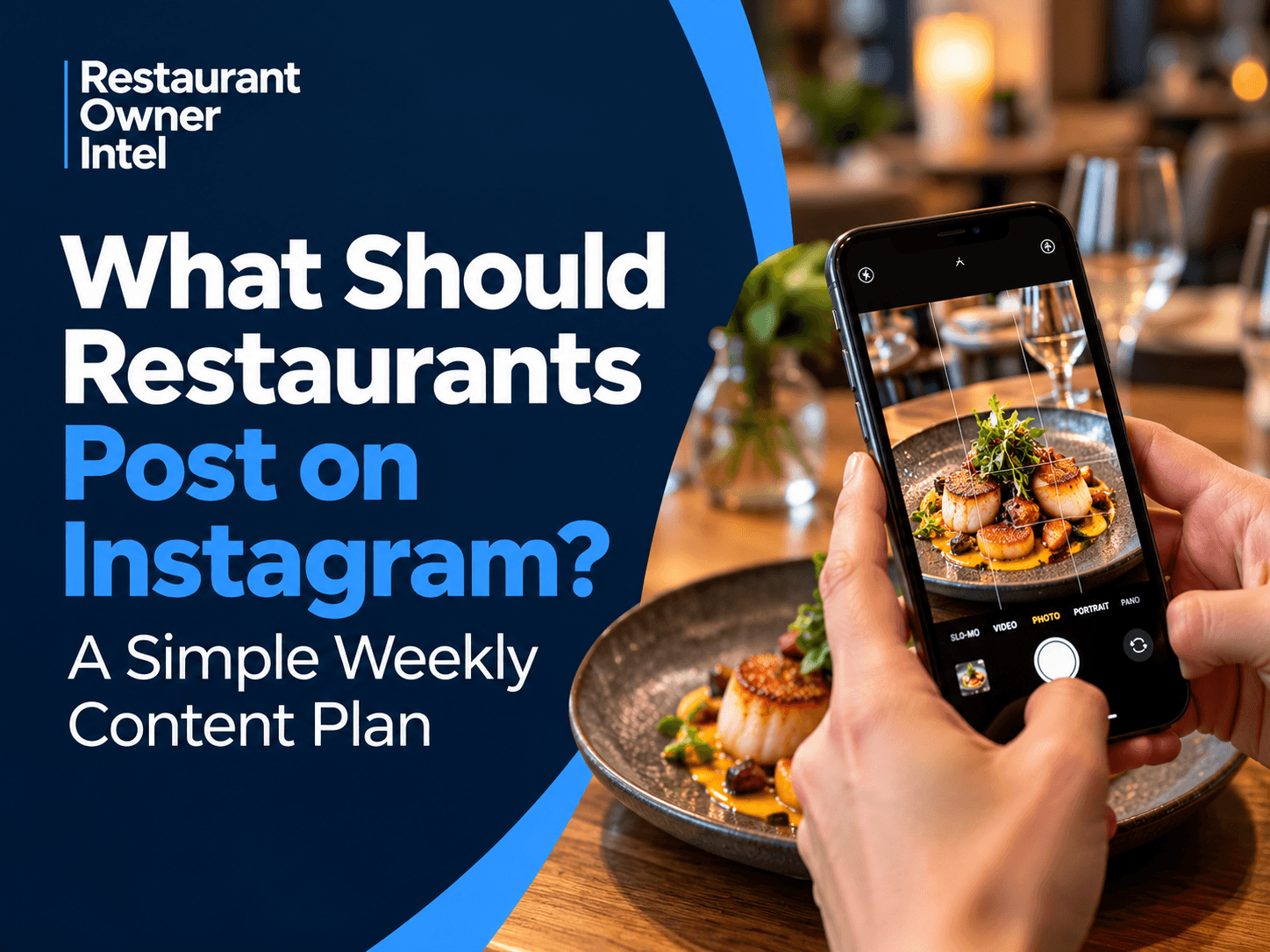
It's Thursday afternoon. The lunch rush has finished, dinner preparation is underway, and somewhere between checking reservations and dealing with a supplier, you remember you haven't posted anything on Instagram since Sunday.
You scroll through your camera roll.
There's a photograph of last week's special, a slightly blurry video from the kitchen and a picture of a dessert you've already posted twice.
You choose the dessert, write a quick caption and get back to work.
Sound familiar?
The problem isn't that your restaurant lacks interesting things to share. Quite the opposite. Every service produces moments worth capturing.
The problem is finding the time to recognise them, turn them into content and publish them consistently.
That's where a simple weekly plan makes a difference.
You don't need to become a content creator to market your restaurant effectively on Instagram. You need a manageable routine that shows customers why your restaurant is worth visiting.
And that means thinking beyond attractive photographs.
A good Instagram post might introduce someone to your restaurant for the first time. Another might remind a regular customer about a favourite dish. A third could persuade someone who's been considering a visit to finally book a table.
Each serves a different purpose.
The following weekly plan brings those purposes together without expecting you or your team to spend hours creating content.
Why Posting More Often Isn't Necessarily the Answer
It's easy to fall into the trap of thinking your restaurant needs to post every day.
You see other restaurants publishing Reels, Stories, food photographs and promotional videos. Their accounts appear constantly active, and you start wondering whether you're falling behind.
But activity and effectiveness aren't the same thing.
Imagine two restaurants.
The first publishes seven times a week. Its feed is full of attractive food photographs, but the captions say little beyond "Come and try this" or "Book now".
The second publishes three times a week.
On Monday, it shows a signature dish being prepared. On Wednesday, it introduces the chef behind that dish. On Thursday, it highlights the weekend menu and makes booking easy.
Which account gives a potential customer a clearer picture of the restaurant?
The second has fewer posts, but each one contributes something.
That's the distinction worth understanding.
Your Instagram account shouldn't simply prove that your restaurant is open. It should help people decide to eat there.
For an independent restaurant, three or four thoughtful feed posts a week can be a sensible starting point. Add Stories when there's something timely or interesting to share.
Consistency matters, but so does having something worth saying.
Restaurant Instagram Content Ideas: What to Post Each Week
A useful weekly content plan doesn't need dozens of different ideas.
In fact, the simpler you make it, the more likely you'll stick to it.
Start with five recurring themes: food, people, reasons to visit, atmosphere and customer experiences.
You can spread these across your feed and Stories, choosing the formats that suit your restaurant and the time available.
Monday: Give People Something to Crave
Picture someone scrolling through Instagram on their lunch break.
They aren't necessarily looking for a restaurant. They're catching up with friends, watching a few videos or passing the time.
Then they see a plate of fresh pasta arriving at a table.
The sauce is still glistening. Parmesan falls across the top. For a moment, they stop scrolling.
That's what good food content can do.
It creates interest before someone has even considered going out to eat.
Monday is a useful day to put one of your strongest dishes in front of customers.
It might be your best-selling burger, a seasonal special, a freshly baked dessert or something your chef takes particular pride in preparing.
But don't stop at the photograph.
Give people a reason to want it.
Compare these two captions.
"Our delicious homemade pasta. Available now!"
And:
"Six hours of slow cooking go into our beef ragu. We serve it with fresh pappardelle, Parmesan and just enough sauce to make you reach for the bread."
The second tells a story about the dish without becoming a lengthy description.
It gives customers something to imagine.
The commercial opportunity: Choose dishes that customers already enjoy and that deliver a healthy contribution towards profit.
If a popular pasta dish has a better margin than a more expensive steak, promoting the pasta may make more commercial sense.
Instagram shouldn't only showcase what looks impressive. It should also support what makes your restaurant profitable.
Tuesday: Let Customers See What Happens Before Service
There's something reassuring about seeing how a restaurant operates behind the scenes.
Fresh ingredients arriving in the kitchen. A chef preparing the day's sauces. Tables being laid before the first customers arrive.
These moments may seem ordinary when you work in a restaurant every day.
To someone considering visiting, they reveal something about the care behind the experience.
And they make your business feel more personal.
You don't need a carefully scripted video.
A short clip of your chef stretching pizza dough or preparing fresh fish can say more about your restaurant than a polished promotional graphic.
The same applies to your team.
Introduce the person who's been running your kitchen for ten years. Ask a member of staff which dish they'd recommend to a first-time customer. Show the preparation that goes into a busy Saturday service.
These are the details that make one restaurant feel different from another.
The commercial opportunity: Famillarity can reduce uncertainty.
Someone who has seen your restaurant, your team and the care behind your food may feel more confident about making their first booking.
Keep the content genuine. Film during quieter preparation periods, avoid interrupting service and make sure staff are comfortable appearing on camera.
Wednesday: Show Customers What It Feels Like to Eat There
Food might attract someone's attention, but the atmosphere often helps them decide whether to visit.
Think about the questions a customer might have when choosing somewhere new.
Will it be too noisy for a conversation?
Is it somewhere they'd feel comfortable bringing the family?
Would it work for a birthday dinner?
Is the dining room relaxed or formal?
A few carefully chosen photographs or short videos can answer these questions far more effectively than a paragraph on your website.
Show your dining room as evening service approaches.
Capture the warm lighting, the tables ready for guests, the bar being prepared or the view from a particularly popular table.
If you have an outdoor terrace, show it on a pleasant afternoon.
If your restaurant is known for lively weekend evenings, let people see that atmosphere.
The key is accuracy.
A customer who books because your restaurant looks intimate and peaceful won't appreciate arriving to discover something entirely different.
The commercial opportunity: Atmosphere content helps attract customers whose expectations match the experience you actually provide.
That can make a difference to customer satisfaction, reviews and the likelihood of a return visit.
If guests appear in your photographs or videos, obtain appropriate permission before publishing.
Thursday: Turn Interest Into Weekend Bookings
By Thursday, people are starting to make weekend plans.
Some have already booked their favourite restaurants. Others are still deciding where to go.
This is your opportunity to give them a reason to choose yours.
But before posting, check your reservations.
If Saturday evening is nearly full, promoting it aggressively may achieve very little.
If Friday lunch or Sunday evening has plenty of availability, that's where your attention might be better spent.
Your post could highlight a seasonal menu, a Sunday roast, a new dessert or a special event.
For example:
"Still deciding where to eat this weekend? Our autumn menu is now available, including slow-roasted lamb, fresh seafood and a new chocolate dessert. We have tables available on Friday evening and Sunday. Book through the link in our bio."
It's specific.
It gives people something to look forward to and tells them how to act.
Notice what it doesn't do.
It doesn't immediately offer a discount.
Restaurants can become too dependent on price promotions when trying to generate bookings. A busy dining room means little if unnecessary discounts have eaten into the margin.
Sometimes the better approach is simply reminding customers what they're missing.
The commercial opportunity: Use Instagram to direct demand towards services where additional bookings would be particularly valuable.
A few extra tables on a quiet evening may be worth more to your business than additional attention on a night that's already fully booked.
Sunday: Let Your Customers Do Some of the Talking
You can tell people your restaurant serves excellent food.
You can describe your friendly service and welcoming atmosphere.
But when a customer says those things, the message carries a different kind of credibility.
That's why customer experiences deserve a place in your weekly Instagram content.
Perhaps someone has left a thoughtful review about a birthday celebration.
Maybe a regular customer has shared a photograph of their favourite dish.
Or perhaps a guest has mentioned how well your team handled a family gathering.
These are useful stories to share.
A simple photograph of the dish mentioned in a review, accompanied by a short extract from the customer's feedback, can work well.
You don't need to turn every positive comment into an elaborate graphic.
Sometimes a genuine thank-you is enough.
You might write:
"Lovely to see so many familiar faces this weekend. And thank you to everyone who joined us for Sunday lunch. We're especially pleased to hear how much you're enjoying the new roast beef."
It feels like a restaurant speaking to its customers, rather than a business broadcasting another advertisement.
The commercial opportunity: Genuine customer feedback can reassure people who haven't visited before.
It also reminds existing customers of experiences they've enjoyed and may want to repeat.
Your Weekly Restaurant Instagram Posting Schedule
Here's how the different content themes can fit into a realistic week.
You don't need seven polished feed posts. Use a combination of photographs, Reels and Stories, depending on what's happening in the restaurant.
| Day | What to Share | Business Purpose |
|---|---|---|
| Monday | Signature dish photograph or short Reel | Make your food appealing |
| Tuesday | Behind-the-scenes kitchen Story | Build familiarity and trust |
| Wednesday | Staff introduction or restaurant atmosphere | Show the people and experience |
| Thursday | Weekend menu or table availability | Encourage bookings |
| Friday | Short Story showing service preparation | Keep your restaurant visible |
| Saturday | Customer experience or atmosphere Story | Reinforce what makes your restaurant special |
| Sunday | Customer review or thank-you post | Build confidence and encourage return visits |
Treat this as a starting point, not a rigid timetable.
If your restaurant is closed on Mondays, adjust the schedule.
If Sunday lunch is your busiest service, promote it earlier in the week.
If Wednesday evenings are consistently quiet, test content designed to generate interest in that service.
The best restaurant Instagram content plan reflects how your business actually operates.
Instagram Stories: The Content You Don't Need to Overthink
Not everything worth sharing needs a permanent place on your Instagram feed.
Some of the most useful content is happening right now.
A chef finishes a new dessert.
The kitchen prepares the first dishes for lunch.
The sun comes out, and your outdoor tables suddenly look particularly inviting.
These moments are ideal for Instagram Stories.
They don't require elaborate editing or carefully designed graphics.
They simply give followers a glimpse of what's happening.
Stories are also useful for timely information.
If you have a few tables available that evening, you can mention them.
If a special is proving popular, show it being served.
If you're introducing a new dish, ask customers what they think.
You can also use polls and question stickers to encourage interaction.
For example, if you're considering adding a new dessert, ask followers whether they'd prefer sticky toffee pudding or chocolate fondant.
Their responses won't replace proper menu testing, but they may give you useful insight into customer preferences.
One caution: don't confuse frequent updates with valuable communication.
If you're publishing ten Stories a day that all look the same, customers may simply skip past them.
A few interesting moments are enough.
Restaurant Reels: Show the Details a Photograph Can't Capture
Some dishes are made for video.
The moment a knife cuts into a perfectly cooked steak.
Fresh pasta being tossed through a sauce.
A pizza coming out of the oven.
A bartender finishing a cocktail.
A photograph captures the result. A Reel can show the preparation, movement and detail that make it appealing.
And Reels may help your restaurant reach people who don't already follow your account.
That doesn't mean you need to chase every trending sound or spend hours editing videos.
Start with what happens naturally in your kitchen.
A 15-second video showing a pizza being stretched, topped, baked and served is a complete piece of content.
So is a chef explaining why a particular ingrediant appears on your seasonal menu.
Keep the subject clear and the footage easy to follow.
Use good lighting where possible, and avoid filming in ways that interfere with food preparation or service.
Add location information when relevant, particularly if you're trying to attract customers from your surrounding area.
There's also an important distinction between reach and commercial value.
A Reel watched by 20,000 people who live hundreds of miles away may be less useful than one watched by 500 people who live nearby.
Large viewing figures can look impressive.
But local customers who book tables are what matter to your business.
Your Instagram Profile Might Be Losing Bookings
Imagine someone sees your Reel and decides your restaurant looks worth visiting.
They tap your profile.
The food looks good. The atmosphere feels right.
But they can't find your menu.
The booking link doesn't work.
Your opening hours are missing.
Or the address isn't immediately obvious.
At that point, all the effort you've put into creating content is working against a very simple problem: the customer doesn't know what to do next.
Before spending more time creating posts, check your Instagram profile.
Can a new customer quickly find your location, opening hours, menu and booking information?
Does the link in your bio lead somewhere useful?
Does your website work properly on a mobile phone?
These details aren't particularly exciting, but they matter.
A customer who wants to book shouldn't have to search through old posts or send a message asking how to reserve a table.
Make the process obvious.
You can also organise your Story Highlights around useful information such as your menu, restaurant atmosphere, customer reviews and frequently asked questions.
Think of your Instagram profile as an introduction to your restaurant.
It should leave customers interested, informed and able to take the next step.
How to Plan a Week of Instagram Content in 30 Minutes
The biggest obstacle to consistent posting usually isn't a shortage of ideas.
It's time.
When you're managing staff, suppliers, reservations and customers, social media can quickly become something you deal with only when everything else is finished.
Which, in a restaurant, may be never.
A simple batch-planning routine can help.
First Five Minutes: Look at the Week Ahead
Start with your restaurant calendar.
What's happening over the next seven days?
Are you introducing a new dish?
Is there an event coming up?
Which services need additional bookings?
What are customers particularly enjoying at the moment?
Choose three or four things worth sharing.
Don't worry about making every post completely different from anything you've published before.
Your customers aren't studying your Instagram account with the same attention you are.
Next Ten Minutes: Capture What You Already Have
Walk through the restaurant with your phone.
Photograph a dish before it leaves the kitchen.
Record a short video of preparation.
Capture the dining room before service.
Ask a team member to explain something interesting about a menu item.
You can often collect enough material for several posts without creating anything specifically for Instagram.
Save the photographs and videos in a shared folder.
That way, the person responsible for posting isn't constantly asking colleagues to send over pictures.
Next Ten Minutes: Write the Captions
Keep them straightforward.
For a food post, explain what makes the dish worth ordering.
For a team post, introduce the person and their role.
For a booking post, tell customers what's available and how to reserve.
Avoid captions that could belong to any restaurant.
"Delicious food and great atmosphere!" doesn't tell customers very much.
A few specific details about your menu, people or experience will usually be more useful.
Final Five Minutes: Schedule the Posts
Once you've chosen the photographs and written the captions, schedule your content.
Instagram's scheduling features or a suitable management tool can help you prepare posts in advance.
The 30-minute routine is a practical target for planning and scheduling straightforward content, not a promise that every Reel or photograph can be produced in that time.
More involved videos may take longer.
But having a repeatable system removes much of the weekly decision-making.
It also makes Instagram easier to delegate.
Stop Measuring Success by Likes Alone
A photograph of your restaurant's most expensive dish receives 300 likes.
A simple Thursday post about Sunday lunch receives 40.
Which one performed better?
Without knowing what happened afterwards, you can't really say.
Perhaps the first post attracted attention from people who will never visit.
Perhaps the second encouraged several local customers to book.
This is why Instagram performance needs to be judged against your business objectives.
Likes, comments and followers can tell you something about audience interest.
They don't automatically tell you whether your restaurant is generating more revenue.
Pay closer attention to the actions that suggest genuine customer intent.
Profile Visits
Are people interested enough in your content to visit your restaurant's profile?
Booking and Website Clicks
Are customers moving from Instagram to your menu, website or reservation system?
Messages and Enquiries
Are people asking about availability, dietary requirements, events or bookings?
Saves and Shares
Are customers saving your posts or sending them to friends?
A saved menu post or a Reel shared between friends may indicate that someone is considering a visit.
Bookings Influenced by Instagram
This is particularly valuable.
Ask customers how they heard about your restaurant.
Where practical, use booking links that allow you to identify visits from Instagram.
You won't capture every booking influenced by social media, but even partial information can help you make better decisions.
Review the results monthly.
Look for patterns rather than judging individual posts in isolation.
You might discover that behind-the-scenes videos attract attention, while menu posts generate more booking clicks.
Both can have a role.
They simply contribute in different ways.
Five Instagram Habits That Quietly Waste Your Time
A weekly plan helps, but it won't solve everything.
There are a few habits worth watching for.
1. Posting Food Photographs and Nothing Else
Your food matters, but customers are also choosing an experience.
Show the dining room, the team and the atmosphere.
Give people enough information to imagine themselves visiting.
2. Treating Every Post Like an Advertisement
Constant promotions can make your feed repetitive.
They may also encourage customers to wait for discounts.
Mix booking-focused content with posts that build interest and confidence.
3. Chasing Views Instead of Local Customers
A viral video isn't necessarily a commercial success.
Focus on reaching people who could realistically visit your restaurant.
4. Spending Too Long Making Everything Perfect
A useful Reel filmed during preparation can be more valuable than a complicated video that takes hours to produce.
Good lighting, clear footage and an interesting subject are often enough.
5. Forgetting to Tell Customers What to Do Next
Someone might love your food photograph but have no idea how to book.
When a post is intended to encourage visits, make the next step clear.
Your Five-Minute Restaurant Instagram Audit
Before planning next week's content, open your restaurant's Instagram account and look at it as though you've never visited.
Ask yourself:
- Can someone immediately tell what kind of restaurant we are?
- Is our location easy to find?
- Can customers access our menu and booking information?
- Do our recent posts show more than finished dishes?
- Are we showing the people and atmosphere behind the restaurant?
- Have we promoted dishes that contribute positively to profit?
- Are we giving customers a reason to visit soon?
- Are we using Stories for timely updates?
- Do we know which posts are generating enquiries or bookings?
If several answers are no, you have a useful starting point.
Choose the gaps that are easiest to fix and build them into next week's schedule.
Products / Tools / Resources
You don't need expensive equipment or a complicated software system to manage your restaurant's Instagram account.
A smartphone, a basic content calendar and a reliable way to schedule posts will cover much of what an independent restaurant needs.
The following resources can help make the process easier.
Instagram Professional Dashboard
Best for: Understanding how customers interact with your content.
Instagram's professional account features provide access to performance information such as reach, engagement and profile activity.
Use these insights to identify which posts attract attention and which encourage people to visit your profile.
Look at results over several weeks rather than reacting to every individual post.
Meta Business Suite
Best for: Planning and scheduling content.
Meta Business Suite allows businesses to manage aspects of their Facebook and Instagram activity from one place.
It can be useful if you're already handling both accounts.
For a small restaurant, scheduling a few posts in advance can remove the pressure to create content during busy services.
Canva
Best for: Simple menu announcements, event graphics and promotional posts.
Canva provides templates and design tools that can help you create consistent graphics without needing a designer for every post.
Use it selectively.
Your restaurant's food, people and atmosphere should remain the focus of your Instagram account.
You don't need to turn every photograph into a graphic.
CapCut
Best for: Editing short restaurant Reels.
CapCut offers video-editing tools that can help you trim clips, add captions and combine footage.
It can be useful for turning a few short kitchen videos into a simple Reel.
Start with basic editing. Clear footage of an interesting dish is more important than elaborate transitions.
A Smartphone Tripod
Best for: Capturing steady kitchen and restaurant footage.
A small, adjustable tripod can make it easier to film food preparation without someone holding the phone.
Choose one that can be positioned safely away from hot equipment, busy walkways and food preparation surfaces.
You don't need a professional camera setup to begin.
Google Sheets
Best for: Maintaining a simple weekly content calendar.
Google Sheets can be used to track what you're posting, when it's scheduled and what you want each post to achieve.
A basic spreadsheet might include:
| Day | Content Idea | Format | Objective | Status |
|---|---|---|---|---|
| Monday | Signature pasta | Photograph | Attract interest | Scheduled |
| Wednesday | Chef preparing pasta | Reel | Build trust | Ready |
| Thursday | Weekend availability | Photograph | Generate bookings | To create |
| Sunday | Customer review | Story | Build confidence | Planned |
Keep the system simple enough that someone else in your restaurant can understand and update it.
Your Restaurant's Booking System
Best for: Connecting Instagram activity to actual reservations.
Before investing in additional social media tools, check what your existing reservation platform can tell you.
Some booking systems support trackable links, referral information or reporting that can help identify bookings originating from Instagram.
If yours does, use those features.
If it doesn't, a simple question during the booking process — "How did you hear about us?" — can still provide useful information.
The tools should make your marketing easier to manage, not create another complicated task for your team.
Try This With AI
Use the AI you're already using: ChatGPT, Claude, Gemini, Grok, Meta AI, Copilot, or another general-purpose AI assistant. Replace the example information inside the brackets with your own information, then copy and paste the complete prompt into your AI.
AI Prompt
Act as an experienced restaurant marketing adviser who understands the time pressures and commercial priorities of independent restaurant owners. Create a practical, personalised four-week Instagram content plan for my restaurant using this information: [Describe your restaurant, location, food, customers, busiest and quietest services, and anything you'd particularly like to promote. For example: "I run an independent Italian restaurant in Manchester serving fresh pasta, pizza and Sunday lunch. We attract couples, families and local professionals. Friday and Saturday evenings are busy, but Tuesday to Thursday are quieter. Our homemade pasta and tiramisu are popular, and we'd like more midweek bookings without relying on discounts. We have a small team and limited time for social media."] Build a realistic schedule of three feed posts per week, supported by simple Instagram Stories, using five content themes: appealing food, behind-the-scenes activity, restaurant atmosphere, reasons to visit and genuine customer experiences. Prioritise posts that could attract local diners, encourage bookings during quieter services, showcase profitable menu items where known and give existing customers reasons to return. Present the plan as a clear week-by-week table showing the posting day, content idea, recommended format, what to photograph or film, a ready-to-use caption with a natural call to action, and the specific business purpose of each post. Include a manageable mix of photographs, Reels and Stories, using content that can be captured during normal restaurant operations with a smartphone. Avoid repetitive food photographs, generic captions, unnecessary discounts and ideas requiring professional equipment or extensive editing. Don't invent menu items, customer reviews, special offers, availability or facts about my restaurant. Where details are missing, suggest adaptable ideas and clearly identify assumptions. After the calendar, provide a simple 30-minute weekly content preparation routine and identify the three most useful Instagram performance measures for my restaurant, explaining how to track them and what each reveals about potential customer interest or bookings. Make the recommendations specific, commercially sensible and realistic for a busy independent restaurant owner.

0 Comments
Join the conversation
Be the first to comment
Share your thoughts above.