
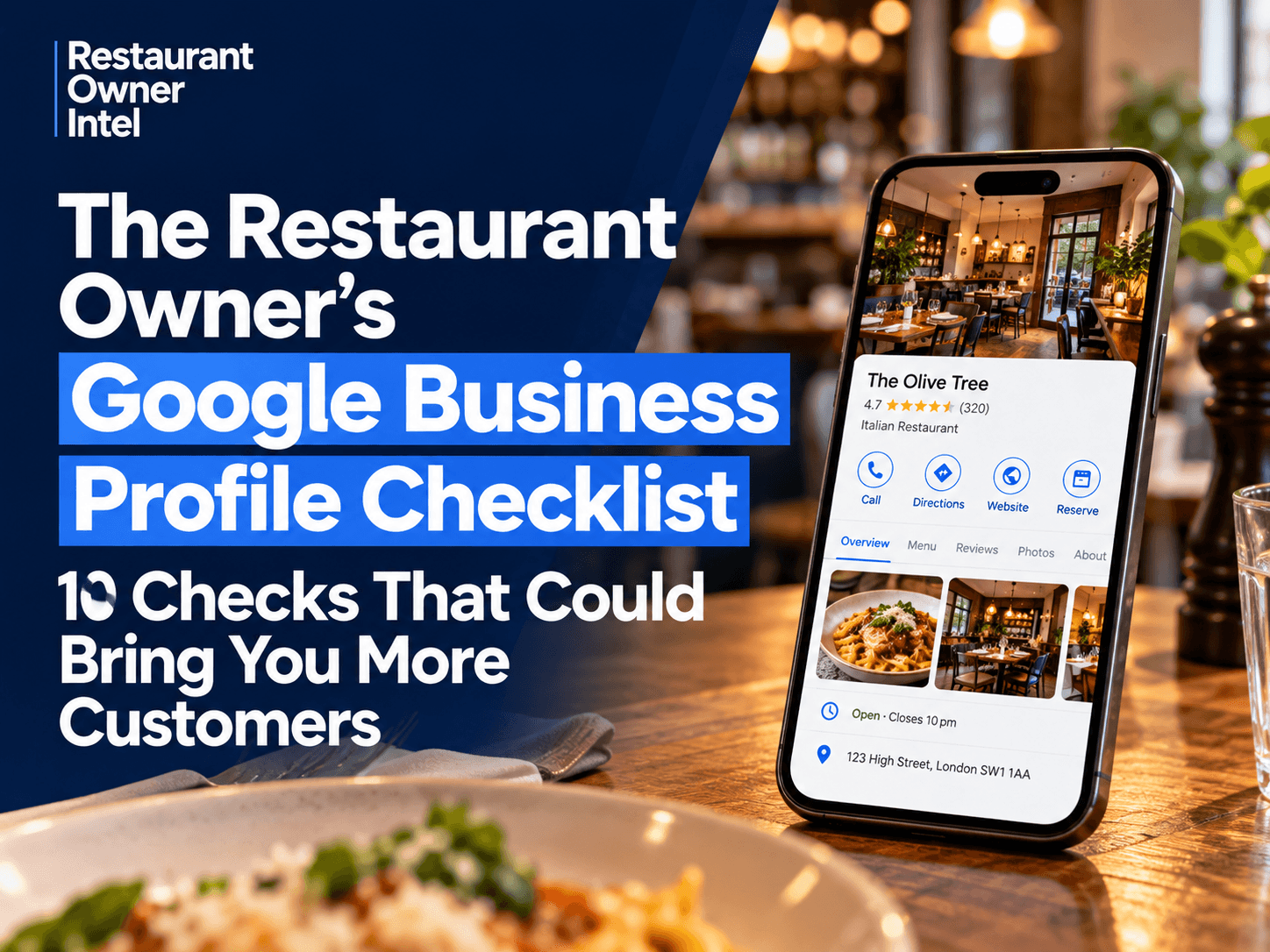
The Restaurant Owner's Google Business Profile Checklist: 10 Checks That Could Bring You More Customers
The Restaurant Owner's Google Business Profile Checklist: 10 practical checks to improve local visibility, attract diners and increase restaurant bookings.
A potential customer searches Google for somewhere to eat tonight. Your restaurant appears alongside several competitors. They compare the photos, check the reviews, look at the menu and decide where to book. That decision could happen in less than a minute. Your Google Business Profile can influence whether that customer chooses your restaurant or someone else's. Yet a profile can look complete while still containing outdated information, weak photos, unanswered reviews or a booking link that creates unnecessary frustration. The good news is that improving your profile does not require a large marketing budget or hours of work. The Restaurant Owner's Google Business Profile Checklist gives you ten practical areas to review, with improvements you can make immediately. 1. Check That Your Restaurant Information Is AccurateStart with the basics. Your restaurant's name, address, telephone number, website and opening hours should all be correct. This sounds obvious, but even small mistakes can cost you customers. Imagine someone checking your opening hours on Google, travelling to your restaurant and finding it closed. That experience creates frustration before they have even tried your food. Pay particular attention to bank holidays, seasonal opening hours and changes to kitchen service. What to check:
Why it matters: Accurate information removes unnecessary obstacles between a customer finding your restaurant and visiting it. 2. Choose the Right Restaurant CategoriesGoogle uses your business categories to help understand what your restaurant offers. Your primary category should describe your business as accurately as possible. For example, an Italian restaurant should generally select "Italian restaurant" rather than relying on the broader "Restaurant" category. You can also add relevant secondary categories where they genuinely describe your business. Avoid selecting categories simply because they sound popular. What to check:
Why it matters: Relevant categories help Google understand your business and can improve your chances of appearing for suitable local searches. They do not guarantee a higher ranking. 3. Make Your Photos Work HarderYour photos are one of the first things potential customers notice. They help people judge the food, atmosphere, presentation and overall experience before deciding whether to visit. A restaurant with attractive, current photos can make a stronger impression than one relying on a few old images. You do not need professional photography every week. A modern smartphone, good natural light and a clean presentation can produce useful images. Focus on photos that answer the questions customers have before booking. Show your most appealing dishes, the dining room, the exterior and the atmosphere during service. If you have outdoor seating, private dining or a distinctive bar area, include those too. What to check:
Why it matters: Good photos reduce uncertainty and help customers picture themselves eating at your restaurant. 4. Review Your Menu LinkA customer who likes your photos will often want to see the menu before making a decision. Make that process easy. Your Google Business Profile should direct customers to an accurate, readable menu. Avoid sending them to an outdated PDF, a broken page or a website where the menu is difficult to find. Think about someone checking your restaurant on their phone while walking through town. They should be able to find your dishes and prices without unnecessary scrolling or searching. What to check:
Why it matters: A clear menu helps customers decide whether your restaurant suits their budget, preferences and occasion. 5. Make It Easy for Customers to BookGetting found on Google is only part of the job. The next step is turning that interest into a reservation. Check what happens when someone tries to book through your profile. Does the booking link work? Does it open the correct restaurant? Is the process straightforward on a mobile phone? If customers have to search for a reservation page, repeatedly enter information or navigate a confusing website, some may give up. A restaurant can attract plenty of attention online without converting enough of that interest into bookings. What to check:
Why it matters: Removing friction from the booking process can help convert more interested customers into confirmed reservations. 6. Take Customer Reviews SeriouslyReviews influence how customers judge your restaurant before visiting. A strong rating is valuable, but customers also look at what people are saying. They may want to know whether the food is consistently good, the staff are welcoming or the restaurant is suitable for a special occasion. Your responses matter too. A thoughtful reply to a positive review shows appreciation. A calm, professional response to criticism demonstrates that you take customer experience seriously. Do not ignore reviews simply because they are uncomfortable to read. Look for recurring themes. If several customers mention slow service on busy evenings, that could reveal an operational problem worth investigating. What to check:
Google prohibits offering incentives in exchange for reviews, so avoid discounts, free drinks or rewards for leaving feedback. Why it matters: Reviews can strengthen customer confidence while also providing useful information about the experience your restaurant delivers. 7. Keep Your Restaurant Description RelevantYour business description is an opportunity to explain what makes your restaurant worth visiting. Avoid filling it with generic claims such as "amazing food" or "the best dining experience." Instead, tell customers what they can expect. For example: An independent Italian restaurant serving freshly prepared pasta, stone-baked pizzas and seasonal specials. Ideal for relaxed family meals, casual lunches and evening dining. This gives customers a clearer picture of the food and experience. Use relevant language naturally, but do not stuff the description with search terms or promotional offers. What to check:
Why it matters: A clear description helps potential customers quickly decide whether your restaurant is right for them. 8. Use Google Posts to Highlight Reasons to VisitYour Google Business Profile can also be used to share updates. These might include a new menu, seasonal dishes, an upcoming event or a special dining experience. For example, if you are introducing a Sunday roast menu, create a post with an appealing photo, a short description and a relevant link. You are giving potential customers another reason to consider visiting. However, do not treat Google Posts as a guaranteed way to improve search rankings. Their main value is communicating useful, timely information to people who encounter your profile. What to check:
Why it matters: Relevant updates can help turn general interest into a more immediate reason to book. 9. Check Your Restaurant's Attributes and FacilitiesCustomers often have specific requirements before choosing a restaurant. They may want outdoor seating, wheelchair-accessible facilities, takeaway options or somewhere suitable for families. Your Google Business Profile allows you to provide certain attributes and service information, depending on your business category and location. These details can help customers make a more informed decision. For example, a customer planning lunch with a dog may specifically look for restaurants that allow dogs in suitable areas. If that applies to your restaurant, make sure the information is accurate. What to check:
Why it matters: Useful details help customers find restaurants that meet their needs and reduce avoidable enquiries. 10. Check Whether Your Profile Is Generating Customer ActionsA Google Business Profile should do more than look attractive. It should help people take the next step towards visiting your restaurant. Google Business Profile Performance provides information about how customers find and interact with your business. Depending on the available reporting, this can include website clicks, calls, direction requests and other interactions. Review these figures regularly. For example, suppose your restaurant receives plenty of profile views but relatively few website clicks or booking interactions. That may be a reason to check your photos, menu, booking links and overall presentation. It does not automatically mean your profile is performing badly. Some customers may call, request directions or visit without clicking through to your website. Look at the complete picture. What to check:
Why it matters: Measuring customer actions helps you understand whether your profile is supporting real business activity rather than simply attracting views. The Restaurant Owner's Google Business Profile Checklist: Your 15-Minute AuditYou do not need to tackle every improvement in one sitting. Start by reviewing the areas most likely to affect a customer's decision to visit.
If you identify several problems, prioritise the ones that could directly prevent a customer from booking or visiting. An incorrect telephone number, broken reservation link or outdated opening hours deserves attention before creating another promotional post. Make Google Business Profile Maintenance a Simple Weekly HabitYour profile should not be something you update once and then forget. Restaurant information changes throughout the year. Menus are refreshed. Opening hours change. New dishes become popular. Customers leave reviews. Special events create opportunities. A short weekly review can help keep your information accurate and useful. Consider a simple routine:
Assign responsibility to one person, whether that is you or a trusted manager. This avoids the common situation where everyone assumes somebody else is looking after the profile. Your Next Step: Look at Your Restaurant Through a Customer's EyesOpen Google and search for your restaurant as if you were a potential customer who has never visited before. Look at the photos. Read the recent reviews. Check the menu. Try making a booking. Then ask yourself one question: Would this profile make me confident enough to choose this restaurant over the alternatives? Find the biggest weakness and fix it today. Your Google Business Profile is one of the places where customers decide whether your restaurant deserves their business. Keeping it accurate, appealing and easy to use is a practical way to make more of the demand already searching for somewhere to eat. |
Restaurant Owner Resource |
Free AI Restaurant Growth Plan |
Curious what growth opportunities your restaurant might be missing? Our free AI-powered Growth Plan analyses your restaurant's online presence, marketing and growth goals to identify opportunities you may not have considered.
|

Oct 18, 2026
How to Fill Quiet Restaurant Nights Without Offering Discounts
Empty tables on a Tuesday or Wednesday can be expensive. But cutting prices isn't the only way to bring customers through the door. These practical restaurant marketing ideas can help you increase midweek bookings, give diners a reason to visit and protect your profit margins.

Oct 18, 2026
Are Delivery Apps Bringing You Sales or Taking Too Much Margin?
Delivery apps can keep your kitchen busy and your sales figures climbing. But how much of that money are you actually keeping? Here's how to uncover the real cost of restaurant delivery apps, protect your profit margins and make every order work harder for your business.

Oct 17, 2026
Why Customers Choose One Restaurant Over Another (And How to Win Their Business)
Why Customers Choose One Restaurant Over Another comes down to more than food and price. Understanding the psychology behind dining decisions can help your restaurant attract more customers, win bookings and build repeat business.
Oct 16, 2026
Revenue Is Up. But Is Your Restaurant Actually Doing Better?
Higher sales can create the impression of a healthier restaurant business. But unless customer numbers, operating costs and profit margins are improving too, revenue growth may be hiding a very different story.
0 Comments
Join the conversation
Be the first to comment
Share your thoughts above.