
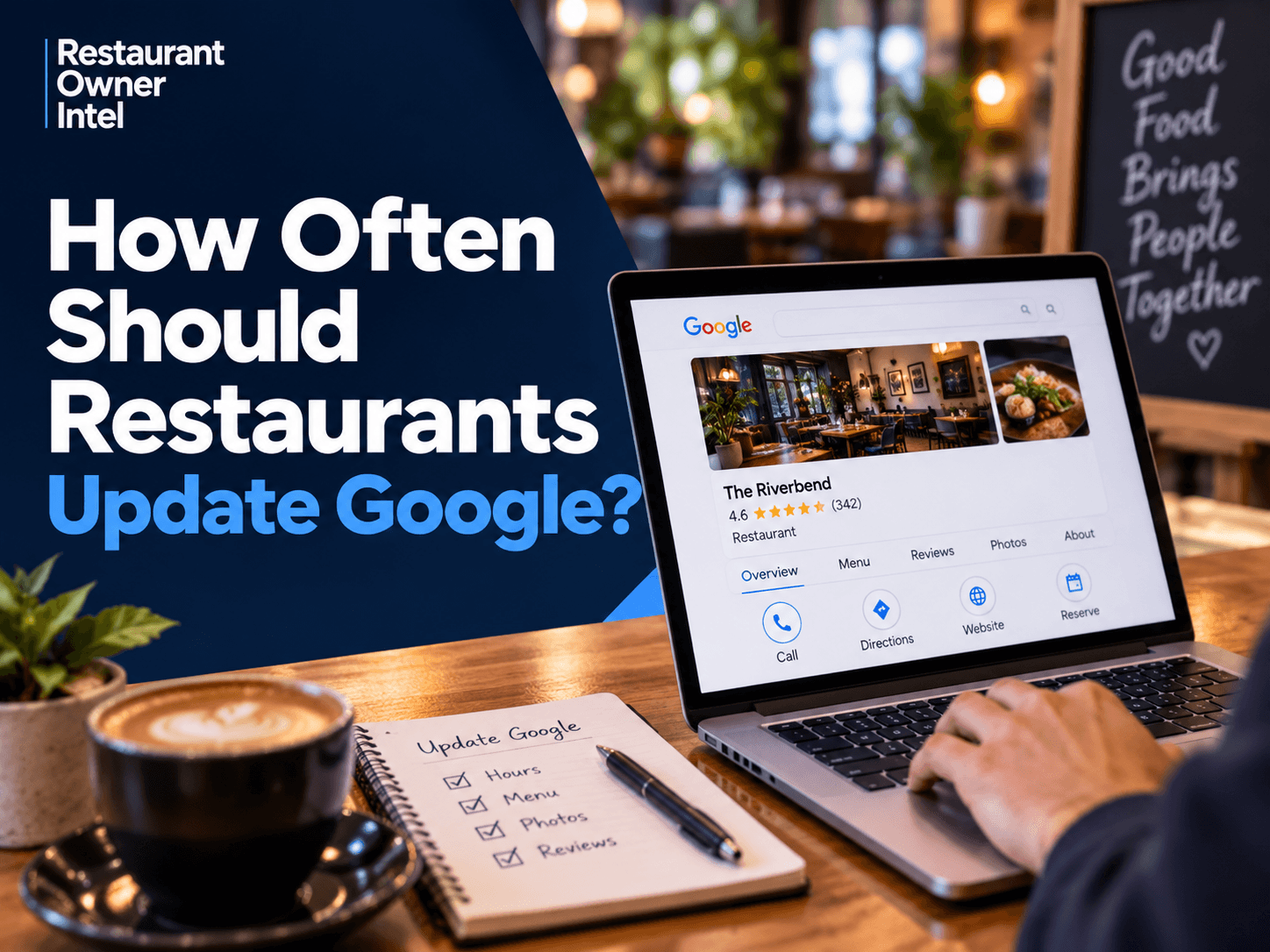
How Often Should Restaurants Update Google? A Practical Guide
How often should restaurants update Google? Learn a simple weekly Google Business Profile routine to keep your restaurant accurate, current and attractive to potential customers.
A customer searches for somewhere to eat tonight. They find your restaurant on Google. Before they visit your website or check your Instagram, they may already be looking at your opening hours, photos, menu, reviews and other information on your Google Business Profile. The question is: how current is what they see? For many restaurants, the profile was claimed years ago, the basic information was added, and very little has happened since. That is a missed opportunity. Google specifically advises businesses to keep their information accurate and up to date. It also allows restaurants to add photos, publish updates, manage menus and respond to reviews. But how often should restaurants update Google? There is no official Google rule saying restaurants need to update their profile every day or even every week. For most independent restaurants, a better approach is simple: Check it weekly. Update it whenever something changes. Add fresh content regularly. Here is what that looks like in practice. Your Google Business Profile Is Part of Your Shop WindowRestaurant owners sometimes treat their Google Business Profile as a directory listing. It is much more important than that. Google says local results are mainly influenced by relevance, distance and prominence, and advises businesses to maintain complete and accurate information. Google also says reviews and positive ratings can contribute to local prominence. (Google Business Profile Help) But there is another reason to keep your profile current. Customers use it to make decisions. Someone comparing three restaurants may look at:
An inaccurate profile creates friction at exactly the point when someone may be deciding where to spend their money. So, How Often Should Restaurants Update Google?A practical schedule for most independent restaurants is: Every week: Spend 10–15 minutes checking your profile. Whenever something changes: Update important information immediately. Regularly: Add useful new photos and relevant updates rather than allowing the profile to become stale. The important distinction is between checking your profile and changing it. You do not need to alter your opening hours, description or menu every week just to make Google think you are active. You should, however, check that customers are seeing the correct information and look for opportunities to make the profile more useful. Google's own guidance focuses on complete, accurate information and useful content rather than prescribing a particular posting frequency. (Google Business Profile Help) 1. Check Your Core Information Every WeekThis should take minutes. Search for your restaurant as a customer would and check:
Pay particular attention before bank holidays, Christmas, local events or any period when your normal hours change. Google allows businesses to set special hours for temporary changes. (Google Business Profile Help) That matters because inaccurate opening hours are not a small administrative problem. Imagine a customer checks Google, sees that you are open, drives across town and discovers that you are closed. You have not simply lost one booking. You may have damaged that customer's trust in your restaurant. Rule: if something customers rely on changes, update Google at the same time you update your website and other channels. 2. Add Fresh Restaurant Photos RegularlyWhen did you last look at the photos customers see when they find your restaurant? Not the photos you remember uploading. The photos actually appearing today. Google encourages businesses to add photos and videos, and its restaurant guidance specifically allows restaurants to provide menu and dish information. (Google Business Profile Help) For a restaurant, good photos can help answer important buying questions: What does the food look like? What is the atmosphere like? Would I want to eat there? You do not need a professional photographer every week. Regularly add strong, accurate photographs of things such as:
Think of your Google photos as an evolving sales gallery. If the first impression customers receive is based on old menus, outdated décor or poor-quality customer photographs, you are allowing other people to control too much of that first impression. 3. Publish Updates When You Have Something Worth SayingGoogle Business Profile lets businesses publish updates, offers and event information that customers can see through Search and Maps. Google says these posts can provide customers with current information and help them decide whether to visit. (Google Business Profile Help) Restaurants have plenty of reasons to use them. New menu: Show one of the strongest new dishes and link customers towards the menu or booking page. Midweek offer: Promote a genuine reason to visit on a quieter night. Special event: Tell customers about a tasting evening, live music night or seasonal event. Seasonal menu: Highlight dishes customers can only order for a limited period. Private dining: Remind local customers that you cater for celebrations or group bookings. The objective is not to post because somebody told you Google likes frequent posting. The objective is to give potential customers another reason to choose your restaurant. One useful update is worth more than several posts created simply to fill a schedule. 4. Respond to Reviews Throughout the WeekYour Google profile is not only information you publish. It is also what customers say about you. Google advises businesses to respond to reviews and says helpful replies demonstrate that you value customer feedback. Google also says review quantity and positive ratings can contribute to local ranking. (Google Business Profile Help) Do not leave review management until the end of the month. Check for new reviews during your weekly routine and, where practical, respond sooner. Your reply is not only for the person who wrote the review. Future customers may read it too. A calm, useful response to criticism can demonstrate professionalism. A personal response to a positive review can reinforce the impression that the restaurant values its customers. This is reputation management happening in public. 5. Update Your Menu When Your Actual Menu ChangesThis sounds obvious. It is frequently overlooked. Google allows food and drink businesses to display menu items, descriptions and prices through Business Profile, although the exact features available can vary. Google notes that menu changes can take 24–48 hours to appear on Search and Maps. (Google Business Profile Help) If you remove a dish, change prices or launch a new menu, check what Google is displaying. Do not assume updating your printed menu automatically fixes everything customers can find online. An old price creates an avoidable problem. A customer sees £18 on Google. They arrive and discover the dish is now £22. The £4 difference may be perfectly justified, but the customer's first thought may be: Why was the information wrong? Keep your menu information aligned wherever customers encounter it. 6. Watch What Google and Customers Are AddingYour Business Profile is not entirely controlled by you. Google explains that profile information can come from several sources, including business owners, public web content, licensed data and user contributions. Google may also update profile information when its sources indicate that something is incorrect or outdated. (Google Business Profile Help) Customers can also contribute photos. That makes regular checking important even when nothing has changed inside your restaurant. You are not simply asking: “What should I upload this week?” You are also asking: “What is Google currently telling customers about my restaurant?” Those are different questions. 7. Do Not Update Google Just for the Sake of ItThis is where restaurant owners can waste time. You do not need another demanding content calendar. You do not need to find something new to say every day. And you should be cautious of anyone promising that posting a certain number of times per week will automatically move your restaurant up Google's rankings. Google says local results are mainly based on relevance, distance and prominence, and explicitly states that there is no way to request or pay for better local ranking. (Google Business Profile Help) The better objective is to maintain a profile that is: Accurate. Complete. Current. Useful. Convincing. That is a much better use of an independent restaurant owner's limited marketing time. A Simple 10-Minute Weekly Google RoutinePut one recurring task in your diary each week. Then run through this checklist: 1. Check your hours. 2. Check your menu. 3. Look at new reviews. 4. Look at your photos. 5. Add something useful if you have it. 6. Check your links. 7. View the profile like a customer. That last question is the important one. The Goal Is Not More Google Activity. It Is More Customers.Restaurant marketing can easily become a list of jobs. Post on Instagram. Update Facebook. Send an email. Reply to reviews. Update Google. But activity is not the objective. Customers are. Your Google Business Profile sits close to the point of purchase. Someone searching for your restaurant — or searching for somewhere to eat nearby — may already have strong intent to visit. Your job is to remove reasons for them to hesitate. Accurate hours remove uncertainty. Current menus help customers decide. Good photos create appetite. Review responses build confidence. Relevant updates provide reasons to visit. A clear booking route makes taking the next step easier. That is why a small amount of regular attention can be commercially valuable. Your Action This WeekSet aside 10 minutes and search for your restaurant on Google. Do not look at it as the owner. Look at it as someone deciding where to eat tonight. Check your hours, menu, photos, reviews and booking journey. Then fix the one thing most likely to make a potential customer hesitate. Do that every week, and your Google Business Profile becomes less of a forgotten listing and more of what it should be: A useful part of your restaurant's customer acquisition system. |
Restaurant Owner Resource |
Free AI Restaurant Growth Plan |
Curious what growth opportunities your restaurant might be missing? Our free AI-powered Growth Plan analyses your restaurant's online presence, marketing and growth goals to identify opportunities you may not have considered.
|

Oct 18, 2026
How to Fill Quiet Restaurant Nights Without Offering Discounts
Empty tables on a Tuesday or Wednesday can be expensive. But cutting prices isn't the only way to bring customers through the door. These practical restaurant marketing ideas can help you increase midweek bookings, give diners a reason to visit and protect your profit margins.

Oct 18, 2026
Are Delivery Apps Bringing You Sales or Taking Too Much Margin?
Delivery apps can keep your kitchen busy and your sales figures climbing. But how much of that money are you actually keeping? Here's how to uncover the real cost of restaurant delivery apps, protect your profit margins and make every order work harder for your business.

Oct 17, 2026
Why Customers Choose One Restaurant Over Another (And How to Win Their Business)
Why Customers Choose One Restaurant Over Another comes down to more than food and price. Understanding the psychology behind dining decisions can help your restaurant attract more customers, win bookings and build repeat business.
Oct 16, 2026
Revenue Is Up. But Is Your Restaurant Actually Doing Better?
Higher sales can create the impression of a healthier restaurant business. But unless customer numbers, operating costs and profit margins are improving too, revenue growth may be hiding a very different story.
0 Comments
Join the conversation
Be the first to comment
Share your thoughts above.